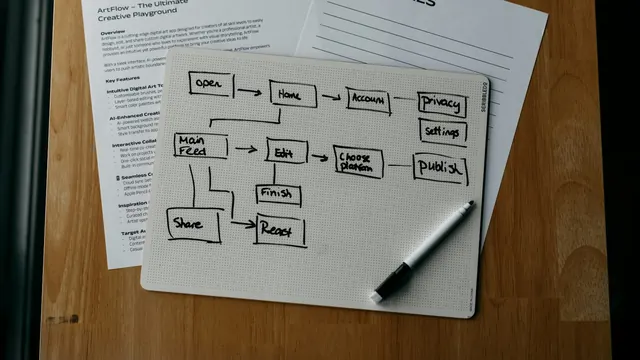


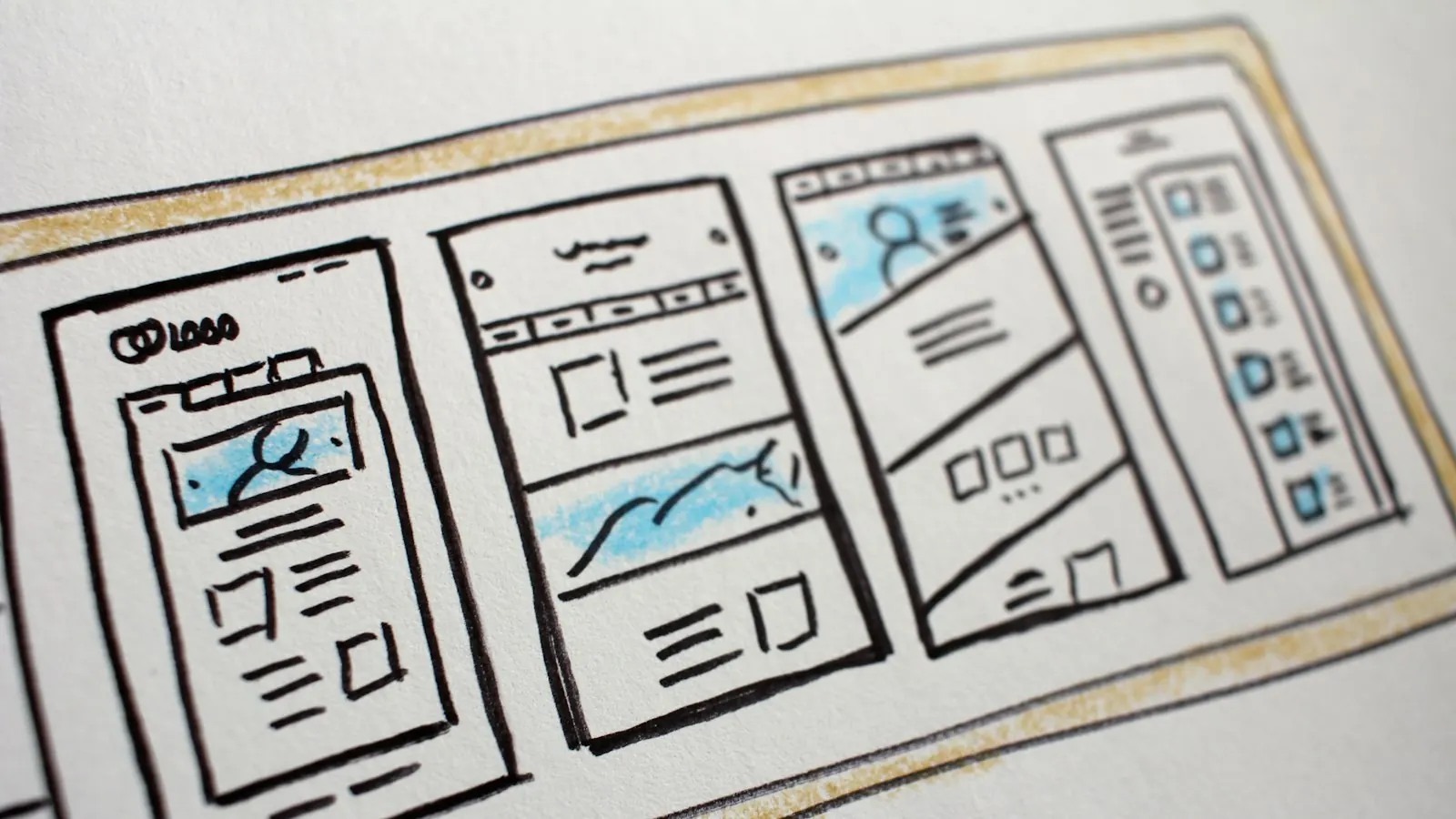
When you plan a new website, one of the first questions is which pages you actually need. Too few and customers cannot find answers. Too many and the site becomes hard to manage and harder to use.
This guide lists the essential pages every business website should have, what to include on each, and the optional pages that help with search rankings and leads.

The Essential Pages
1. Home Page
The home page has a few seconds to answer three questions: what do you do, who is it for, and what should I do next?
Include:
- A clear headline with your service and location
- A main call to action, such as "Call Now" or "Get a Free Quote"
- Short summaries of your main services with links
- Reviews or proof
- Trust signals: years in business, licenses, awards
See homepage design best practices for layout ideas.
2. Service Pages
One page for each main service is the backbone of a business website. Each page should explain the service, who it is for, your process, pricing if you share it, and answers to common questions. These are the pages most likely to rank on Google and bring in leads.
3. About Page
People buy from people. Your about page should share your story, your team, your values and your credentials. Real photos matter more than polished stock images.
4. Contact Page
Make it easy:
- Phone number that can be tapped on mobile
- A short contact or quote form
- Address and map if customers visit you
- Business hours and service areas
Keep your name, address and phone number consistent with your Google Business Profile. See NAP consistency.
5. Privacy Policy
If your website collects any personal information, including through a contact form or analytics, you need a privacy policy. Some states, such as California, have specific requirements for businesses that meet certain thresholds.
Highly Recommended Pages
6. Reviews or Testimonials
Real reviews with names (with permission) and specific details are powerful. See testimonial page best practices.
7. Portfolio or Case Studies
Show your work with photos, short descriptions and results. Case studies that explain the problem, solution and outcome work well for B2B and higher priced services. Read how to use case studies on your website.
8. FAQ Page
Answer the questions you hear every week. FAQs reduce repetitive calls, help visitors decide, and can appear in search results and AI answers.
Optional Pages That Help Growth
9. Service Area Pages
If you serve several cities, individual pages with unique local content help you appear in local searches. See service area pages SEO.
10. Blog
A blog lets you answer more questions, target more keywords and show expertise. Consistency matters more than volume.
11. Pricing Page
Showing prices or starting prices filters out poor fit leads and builds trust, especially for standard services.
12. Careers Page
If you hire regularly, a careers page saves time and attracts better applicants.
13. Landing Pages
Focused pages for ad campaigns or promotions, with one offer and one call to action.
Pages You Can Usually Skip
- A separate "Mission" page that repeats your about page
- A "Links" or "Resources" page with no clear purpose
- Several thin service pages that could be one strong page
Recommended Page Sets by Business Type
| Business type | Core pages |
|---|---|
| Local service (plumber, cleaner) | Home, services, service areas, reviews, about, contact, FAQ |
| Professional practice (law, accounting) | Home, practice areas, team bios, results, about, contact, blog |
| Healthcare clinic | Home, services, providers, patient info, insurance, contact, booking |
| Restaurant | Home, menu, reservations or ordering, location, about, events |
| Online store | Home, collections, product pages, about, shipping and returns, contact, FAQ |
How to Plan Your Pages
Start with your customers' questions and your services, then group them into pages. Our guide on how to plan your website pages before design walks through the full process.
Example: A Service Page Template That Works
Since service pages carry most of the weight, here is a simple template you can reuse for every service:
| Section | Purpose |
|---|---|
| Headline with service and location | Matches what people search |
| Short intro | What the service is and who it is for |
| Signs you need it | Helps visitors recognize their problem |
| How it works | Your process in 3 to 5 steps |
| Pricing or price factors | Sets expectations |
| Why choose us | Experience, guarantees, licenses |
| Reviews about this service | Proof from real customers |
| FAQ | Answers to common questions |
| Call to action | Call, book or request a quote |
Using the same structure for every service page makes the site consistent, faster to build and easier to update.
How Many Pages Is Too Many?
More pages are only better if each page is useful. Watch out for:
- Pages created just to target a keyword with no real content
- Location pages that are nearly identical
- Old blog posts that are outdated and no longer accurate
- Duplicate pages for the same service with different names
Google's guidance encourages helpful, people first content. A smaller site with strong pages usually outperforms a large site with many thin ones.
Common Mistakes With Business Website Pages
A single "Services" page for everything. Split your main services into their own pages.
About pages with no people. Customers want to know who they will work with. Add real names and photos.
Contact pages with only a form. Some people prefer to call. Show your phone number and hours.
Hiding prices completely. Even starting prices or ranges help visitors decide.
No FAQ. Answering common questions saves time for you and your customers.
Pages That Help With Trust
Beyond the core pages, these sections often increase trust and conversions:
- Licenses, certifications and insurance details
- Guarantees and warranties
- Awards and memberships
- Team credentials and experience
- Case studies with real outcomes
These can live on the about page, service pages, or a dedicated "Why Choose Us" page.
Plan for Growth From the Start
When planning your pages, think one or two years ahead. Will you add new services, new locations or a blog? Building the structure with room for growth means you can add pages later without redesigning the site. Our guide on planning your website pages before design shows how to map this out.
Plan the Right Pages for Your Business
Code Staff Hub helps you choose and plan the pages that bring in customers. Get a free quote or explore our website design services.
Frequently Asked Questions
What are the five most important pages on a business website?
Home, service pages, about, contact and reviews. Together they explain what you do, prove you do it well and make it easy to get in touch.
Does a small business website need a blog?
It is not required, but a blog helps you rank for more searches and builds trust over time. Start with a few high quality posts that answer common customer questions.
Do I need a separate page for each service?
Yes, if you want each service to rank on Google and give customers detailed answers. One combined services page rarely ranks well for individual services.
Is a privacy policy required on a business website?
If you collect personal information, such as through forms or analytics, you should have one. Specific requirements depend on your state, industry and audience.